A section becomes a part.
The part becomes a cutting list.
Steel, aluminium, or any profile you can draw — with its end cuts carried into the list.

sectiocad.com/v/3f1m9z4ttum2e
See the sheet →
See the list →
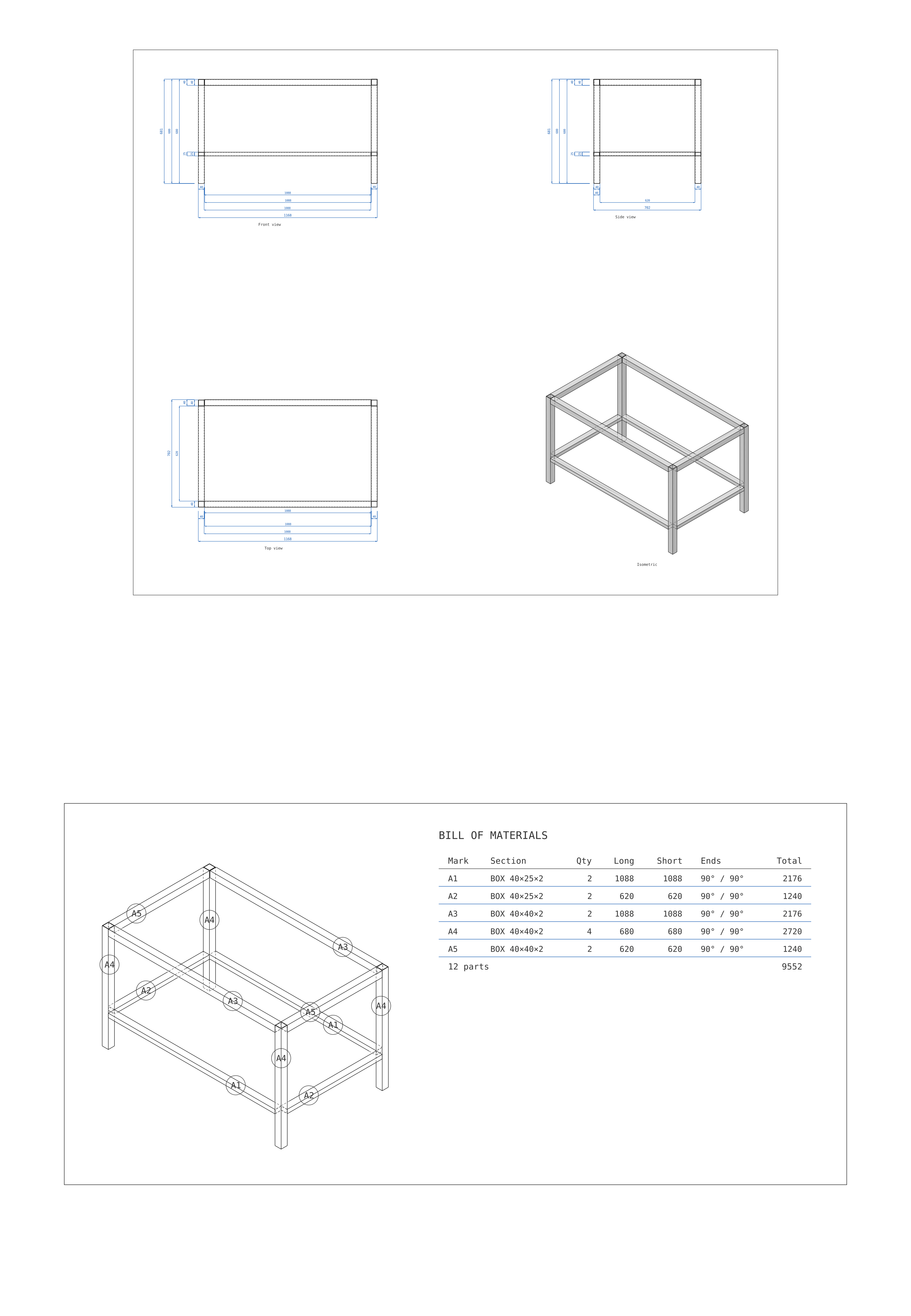
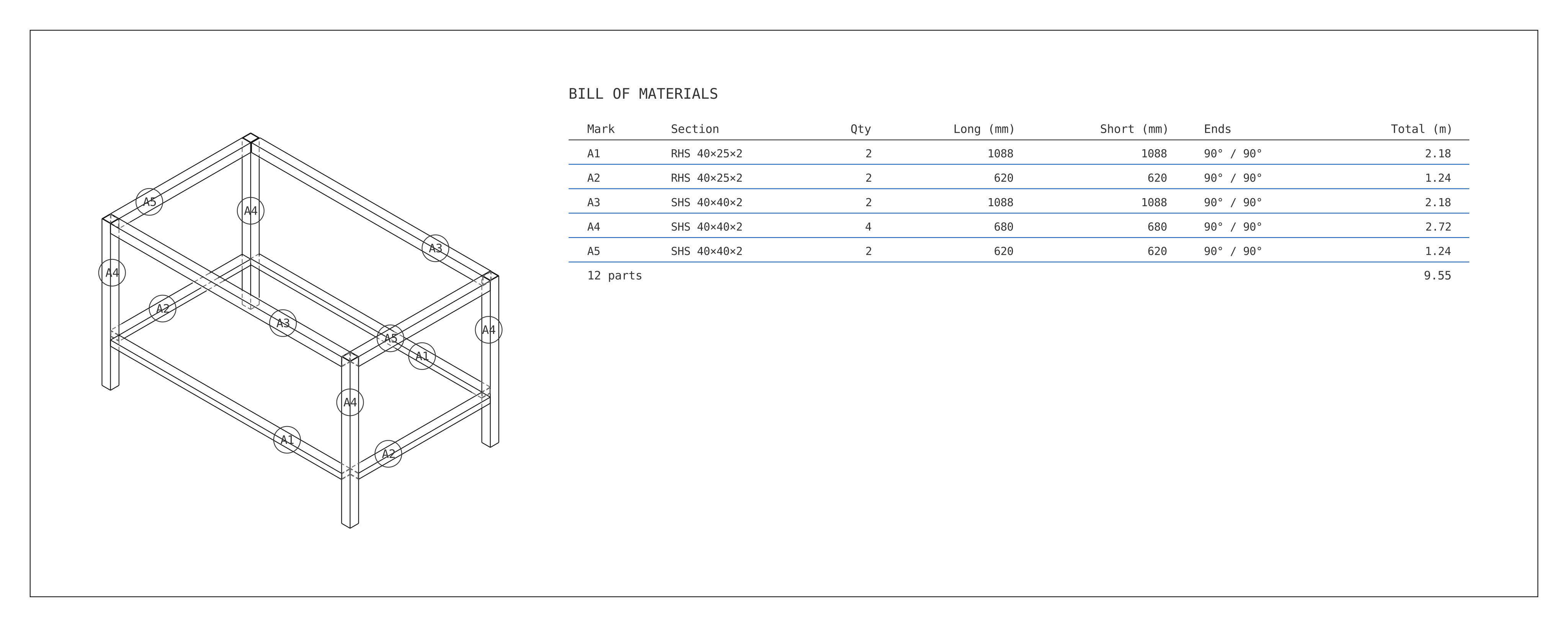
| Mark | Section | Qty | Long |
|---|---|---|---|
| A1 | RHS 40×25×2 | 2 | 1088 |
| A2 | RHS 40×25×2 | 2 | 620 |
| A3 | SHS 40×40×2 | 2 | 1088 |
| A4 | SHS 40×40×2 | 4 | 680 |
| A5 | SHS 40×40×2 | 2 | 620 |
| 12 parts | 9.55 m |
Three moves, and the workshop has what it needs.
A steel frame doesn't need a full CAD workflow. Build the steel, send the list.
And the rest of it.
Every one of these is a named tool, not a setting buried in a dialog.
Set Out · Corner · Mitre · Slope · Chain · Trim and extend
End cut · Hole · Slot · Align · Mirror · Section
Import DXF · Turn to any angle · Block dimensions
Send it to the workshop as a link.
Whoever opens it gets the model and the cutting list on their phone, with nothing installed and no account. Tap a part and it says what it is: its mark, its section, both lengths, and how many there are.
What it is not
Not a replacement for Inventor or Revit. It does one thing: parts made from a section, and the drawing and the list that come out of them. If you need simulation or a library of standard parts, this is not that.
The editor wants a desktop screen, a mouse and a keyboard. The link you send opens on a phone. Your work is saved in this browser — use Save / Open to keep a copy as a file, and that copy is what moves between machines.
Free while in beta.
Leave an address and you get a short note when something worth knowing ships — nothing else.